Autopilot
Approved and listed on its own
Turn it on and confident cards under your price limit are approved and listed by themselves. Anything unsure waits for you in Review.

Scan your trading cards with any scanner. MEIARK identifies every card, prices it from the market and lists it on eBay for you — or runs on Autopilot while you keep scanning.
Early access opens in stages — leave your email and we'll invite you.
Arrives with early access — join the list below and we'll send you the download.
Autopilot
Turn it on and confident cards under your price limit are approved and listed by themselves. Anything unsure waits for you in Review.
Identify
Reads the name and collector number, then checks the artwork against 87,000+ catalog images. Same-art reprints are told apart by number, and anything unsure waits in Check these.
Price
Live market prices with your rules on top: condition, percent of market, rounding.
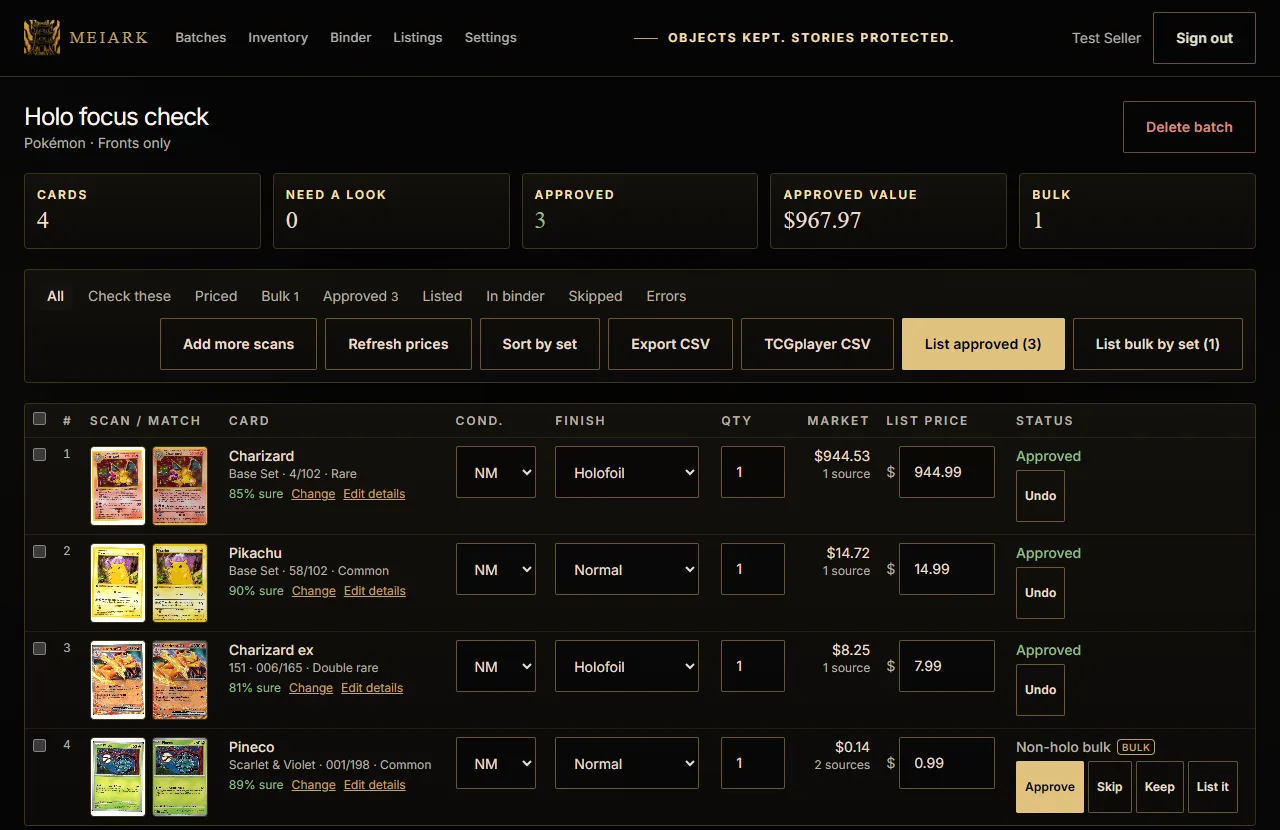
Holo focus
Reverse holos, holos and above are listed. Plain non-holos go to bulk — except the sets you choose to sell.
List
eBay variation listings: one listing per set, and buyers pick their card from a menu. Bulk goes up by set at a flat 99¢.
Sort
A pile number for every card as you work through the stack, so chaos sorting takes minutes.
Intake
Flatbed sheets are split and straightened card by card. Feeders and phones work too, and a folder watcher sends new scans automatically.
Scan
Flatbed, document feeder, phone, or the MEIARK scanner. Drop the images in, or have your scanner send them straight to your account.
Identify
Name and set number are read off each card and matched against the full Pokémon, Magic and Yu-Gi-Oh! catalogs, checked against the card art.
Price
Current market prices, adjusted by your rules: condition, percent of market, rounding and a bulk cutoff.
List & keep
Review the batch, fix anything, approve. Approved cards go to eBay as single or variation listings.
Any. A flatbed, a document feeder, your phone camera, or the MEIARK scanner. MEIARK reads image files, so whatever saves a JPEG or PNG works.
Only if you turn Autopilot on. With it off, every price waits for your approval and nothing goes to eBay until you press List. With it on, confident cards under your price limit are approved and listed for you; anything unsure waits in Review.
Tell MEIARK when you start a batch (Reverse holos or Holos), or mark cards afterwards. A scan alone can't always show the foil.
Plain non-holos and anything under your bulk cutoff are marked Bulk. Sort them by set with the pile guide, then list each set as one pick-your-card listing.
Pokémon, Magic: The Gathering and Yu-Gi-Oh! today.
In your MEIARK account. Listing photos go to eBay only when you list.
Early access opens in stages. Create an account and we'll email you when yours is switched on.
Pricing will be announced before launch. Early-access accounts can try it while we test.